Your accountant in Księguś, free of charge
You invite your accountant by e-mail and they get their own account, on every plan. They see invoices and statements and ask questions in notes on the document instead of on the phone.
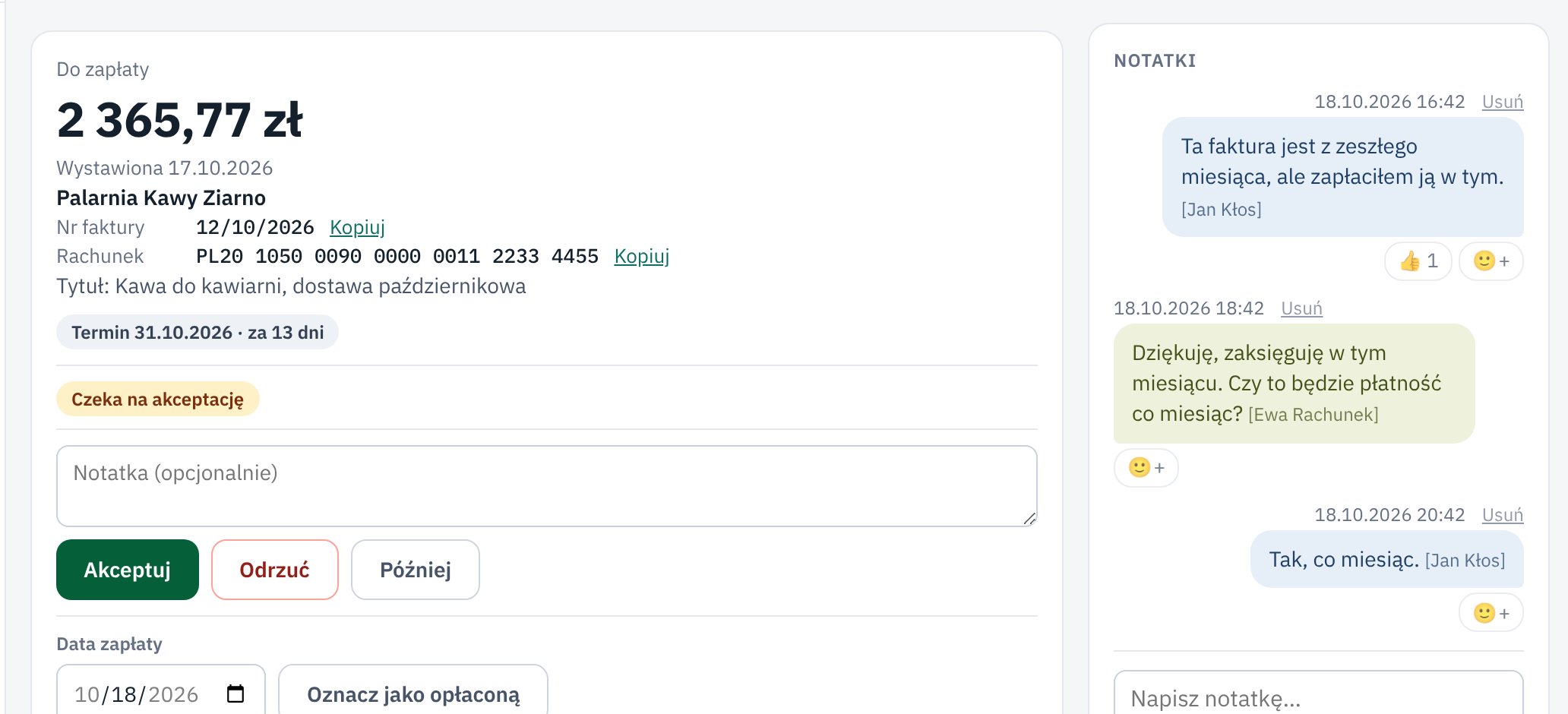
What changed
Settings has an Accountant page. You enter your accountant's e-mail and click Invite to the app. The accountant fills in their name, office and NIP when they accept the invitation.
Your accountant sees invoices, bank statements and finances and downloads the summary in For the accountant, but changes nothing. If you want, you can give them more rights in Users.
Every invoice and bank transaction has Notes. Your accountant asks there, for example "what is this transfer for?", and you answer in the same place. Księguś can also tell you about a new note by e-mail, and the whole conversation stays with the document.
Who it helps
- Companies that e-mail invoices and statements to their accountant every month.
- Accountants and accounting offices that want their clients' documents straight away, not in the last week of the month.
- Offices with several clients: the office account is free, and from 3 companies in Księguś each of them pays 20% less.
How to try it
- Open Settings → Accountant.
- Enter your accountant's e-mail and click Invite to the app.
- Once they accept, you see their name and office at the bottom of the menu.
The accountant's account costs nothing, also on the free Start plan. You pay for the company, not for people.