Invite your team by e-mail
Employees get an invitation to their own e-mail and set their own password. You no longer have to make up a first password and hand it over.
What changed
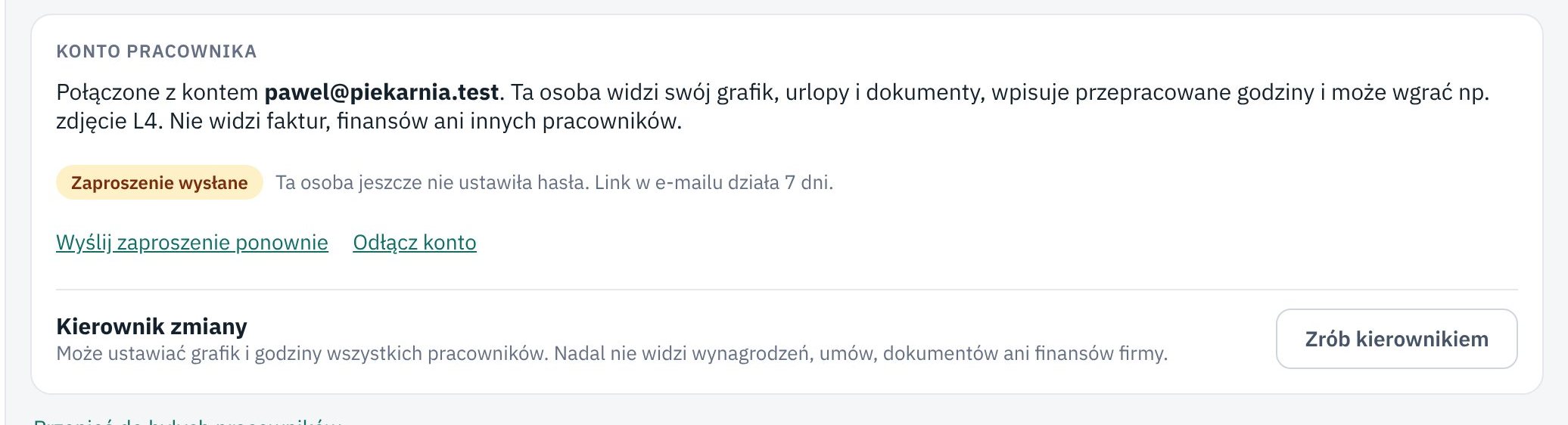
The employee card has an Invite to the app button in the Employee account section. The employee gets an e-mail with a link, sets their own password and right away sees their schedule, contract and documents. The link works for 7 days and only once. If someone already has a Księguś account, they get a message that they now have access to your company.
Until the employee signs in, you see that the invitation was sent and can send it again. On the Users page, one switch makes someone a shift manager, who plans the team's schedule.
Employees can also ask to delete their account. You then get an e-mail and delete the account on the employee card. If you do not, Księguś deletes it after 30 days. The employee's file stays with the company.
Who it helps
- Owners who add new people to the team, also remotely.
- Employees who want their schedule and documents on the phone from day one.
- Companies that want a password to be known only by its owner.
How to try it
- Open Employees and a team member's card.
- In the Employee account section, enter their e-mail and click Invite to the app.
- The employee clicks the link in the e-mail, sets a password and signs in on their phone.