KRS register data for every vendor
Księguś checks your vendors in the KRS court register by itself and warns you when a company is in liquidation or bankruptcy. Find a company by its NIP or its KRS number, and open a vendor straight from the invoice.
What changed
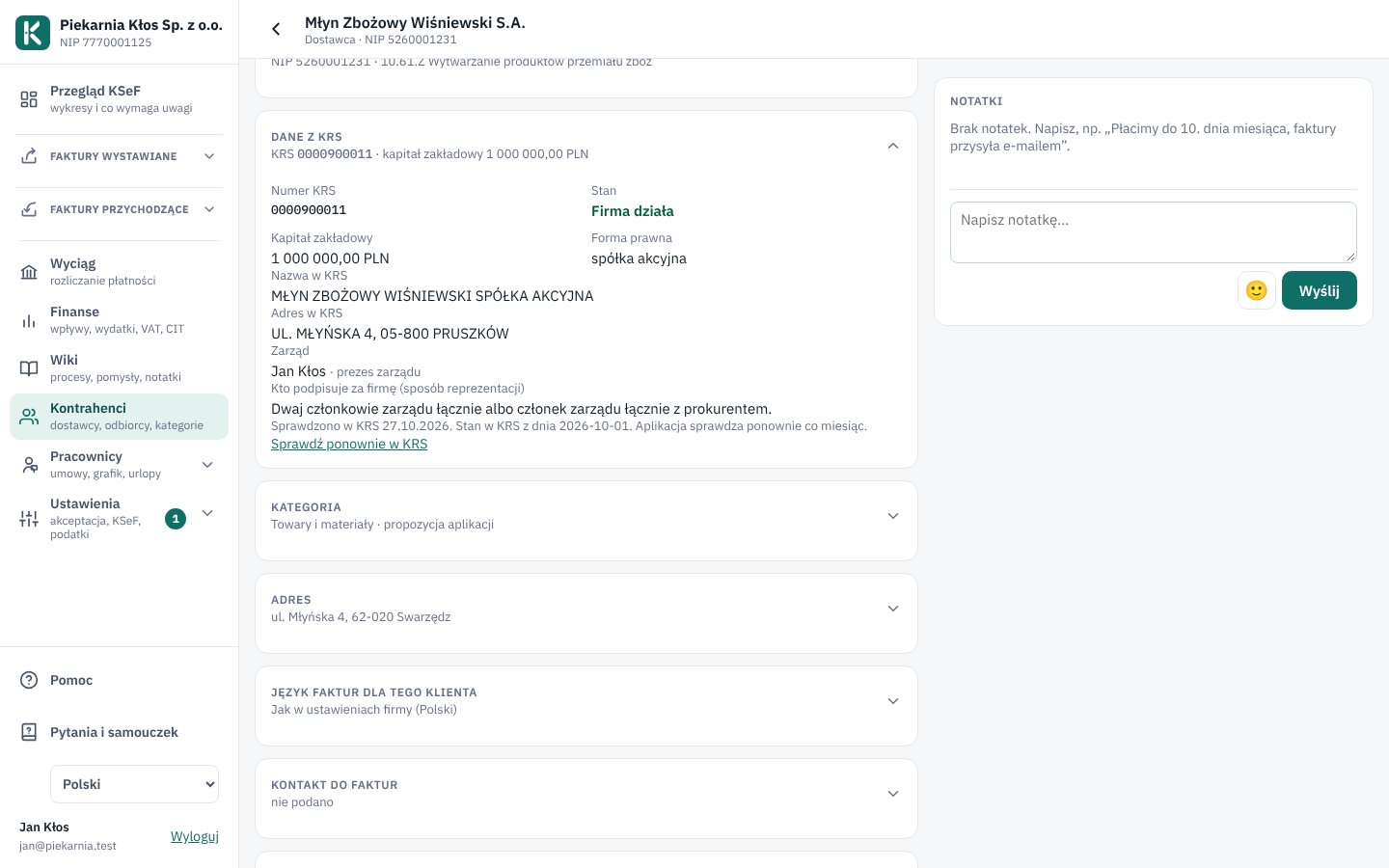
The vendor page has a new section, KRS register data. It shows the KRS number, share capital, legal form, registered address, management board, who signs for the company and any commercial proxies (prokura). Księguś takes this from the public register of the Ministry of Justice and refreshes it every month.
You don't need to type the KRS number anywhere. The vendor's NIP, which is on the invoice anyway, is enough. Księguś finds the KRS number from it (in the VAT white list or GUS) and then pulls the register data.
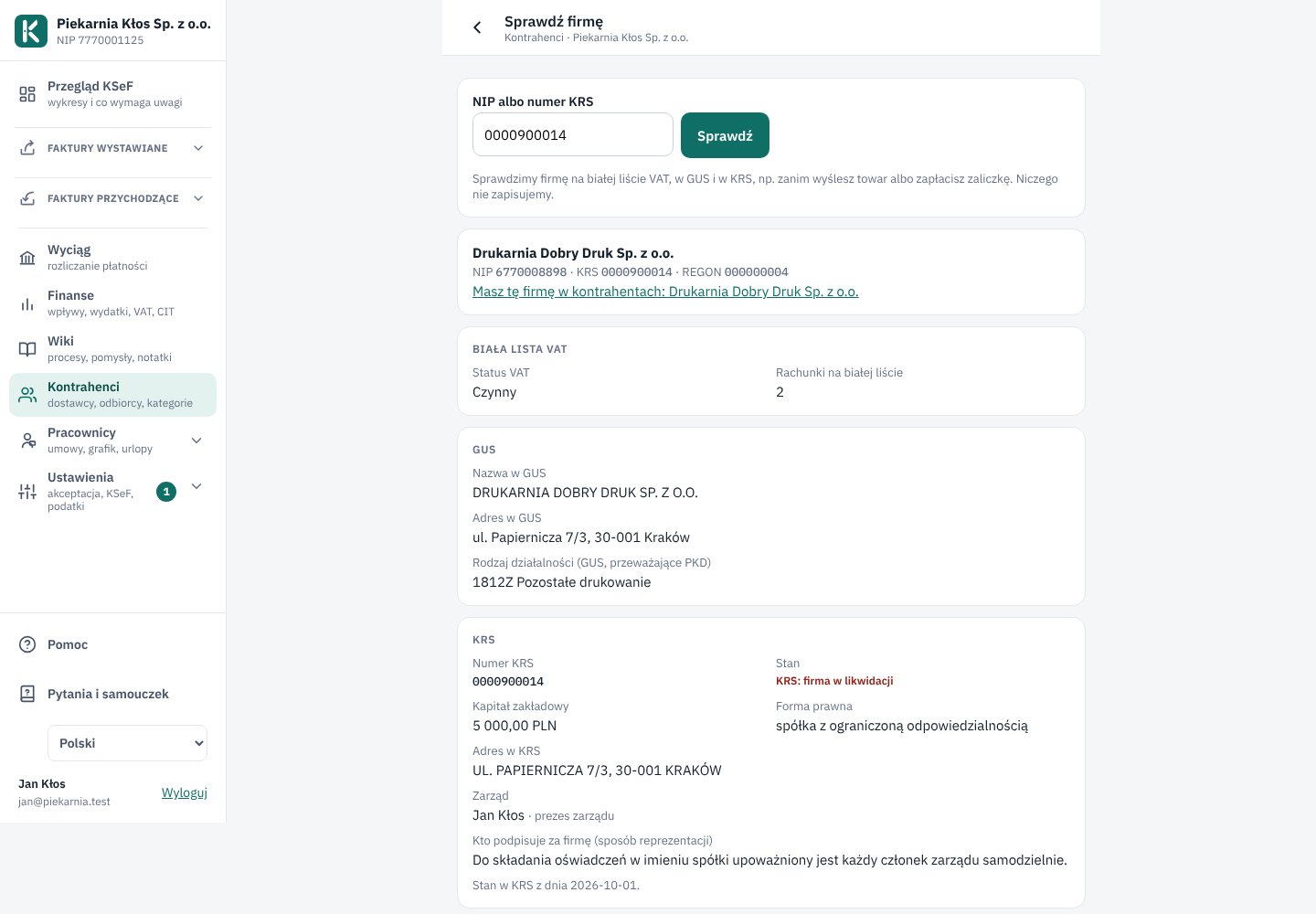
If a vendor is in liquidation, bankruptcy or restructuring, you'll see a red warning on the vendor list, on their page and on every invoice from them. The list shows nothing else: only problems, so the rest stays easy to read.
You can open a vendor straight from an invoice. Click their name on the first line of the invoice and their page opens, with the KRS and GUS data, bank accounts and bank statement entries.
Find a company by NIP or by KRS number
When you issue an invoice, and on an invoice added from a file or e-mail, there is a NIP field with a Fetch details button. You can type in:
- the NIP, which you usually have to hand. The name and address come from the VAT white list (for an invoice from a file, also from GUS when the company is not on the list).
- the KRS number, e.g. 0000123456, when you have no NIP but can see the KRS number on the company's website, in its e-mail footer or on a contract. Księguś takes the name, address and NIP from KRS and fills in the NIP for you.
You don't have to say which one you typed. A NIP has 10 digits and never starts with zero, while a KRS number starts with zeros, so Księguś tells them apart.
Just want to check a company, e.g. before a first order? In Vendors, click Check a company by NIP or KRS number. You'll see what the VAT white list, GUS and KRS say about it side by side, and a link to its page if it is already among your vendors. Nothing is saved.
Sole traders are not in KRS but in CEIDG. You find them by NIP, and their vendor page says the company is not in KRS.
Who it helps
- Businesses that want to know a supplier or customer is not in liquidation before paying a deposit or shipping goods on credit.
- Anyone signing a contract with a company who wants to check who may sign on its behalf.
- The accountant, who sees straight away on the invoice that something is wrong with a vendor.
How to try it
- Open any invoice from a company and click the vendor's name on the first line.
- On their page, open KRS register data. If there is nothing there yet, click Check in KRS.
- Issue an invoice, type the buyer's KRS number into the NIP field and click Fetch details.
- Want to check a company that isn't among your vendors yet? In Vendors, click Check a company by NIP or KRS number, type either one and click Check.
- Want to check everyone at once? In Settings, open Vendors in KRS and click Pull KRS data for all vendors. You can keep working meanwhile; the bar at the top of the page shows the progress.